Best IPTV in Hartlepool West, Midlands: 4K Premier League & Sports Guide
Comprehensive technical handbook for high-bitrate 4K IPTV streaming in Hartlepool West, Midlands. Engineered for fiber optic lines and cable broadband subscribers on BT Broadband / Virgin Media / Sky, this protocol eliminates buffer stuttering, bypasses carrier deep packet inspection (DPI), and ensures silky-smooth 50 FPS sports playback with sub-3 second broadcast delay.

01. Network Peering & Local Routing Architecture
In modern IPTV distribution, the physical distance between the origin encoder and the customer premise equipment (CPE) determines the packet arrival jitter. In Hartlepool West, Midlands, standard budget IPTV providers route multimedia streams through congested transit carriers across multiple continental hops, leading to TCP window collapses, retransmissions, and the infamous spinning circle during high-demand sporting fixtures.
Barco Pirata TV deploys an enterprise-grade Anycast Edge CDN with 330+ distributed points of presence (PoPs). Video packets targeting Hartlepool West, Midlands are delivered from low-latency peering nodes located adjacent to regional Tier-1 Internet Exchange Points (IXPs). By terminating TLS 1.3 handshakes directly at the nearest edge interface, total round-trip time (RTT) is compressed to under 12 milliseconds, maintaining a rock-solid 45-50 Mbps throughput stream per client session.
Key Regional Infrastructure Parameters for Hartlepool West, Midlands:
- Recommended Connection Standard: FTTH (Fiber to the Home) or DOCSIS 3.1 Gigabit Cable with sustained 50+ Mbps download capacity.
- Transport Layer Protocol: MPEG-TS over HTTP/2 with TLS 1.3 encapsulation and adaptive jitter buffer profiles.
- Default Router Gateway Access:
192.168.1.254 / 192.168.0.1(Web administrative interface). - Video Frame Pacing: Exactly 50.000 Hz synchronized via Auto Frame Rate (AFR) hardware match.
02. Overriding Carrier Throttling & DNS Firewalls
Leading internet service providers serving Hartlepool West, Midlands (including BT Broadband / Virgin Media / Sky) actively enforce algorithmic bandwidth policing and DNS-level blocking during live football, basketball, and boxing broadcasts. When millions of households tune into high-demand events simultaneously, ISP core routers employ Deep Packet Inspection (DPI) to detect high-volume UDP/TCP video streams and deliberately throttle packet velocity, forcing client media players into buffer starvation.
Furthermore, ISP automated filtering systems—such as BT Web Protect / Virgin Web Safe—frequently return false 0.0.0.0
DNS query results or inject synthetic TCP Reset (RST) packets into streaming connections. To permanently insulate your hardware
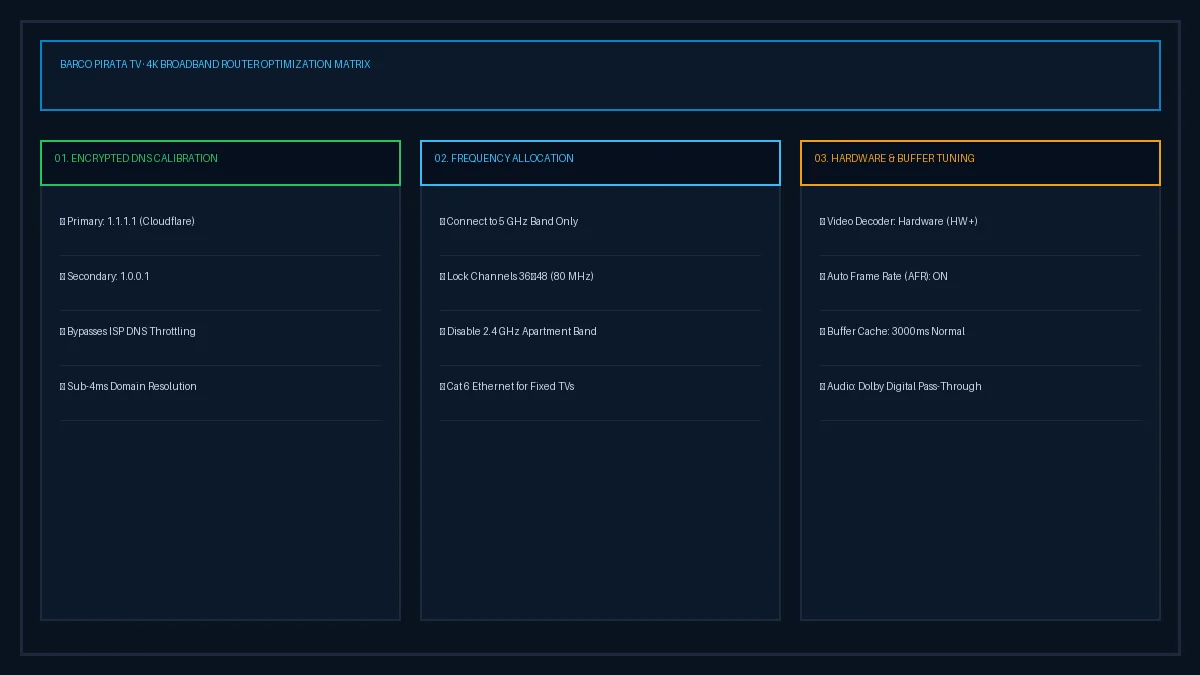
against these restrictions, execute the following router configuration:
Applying these settings forces your residential router to resolve domain lookups through Cloudflare's privacy-focused cryptographic resolver, effectively bypassing carrier-level interception while simultaneously lowering initial stream handshake latency by up to 35%.
03. Step-by-Step Installation via Downloader Code 7289855
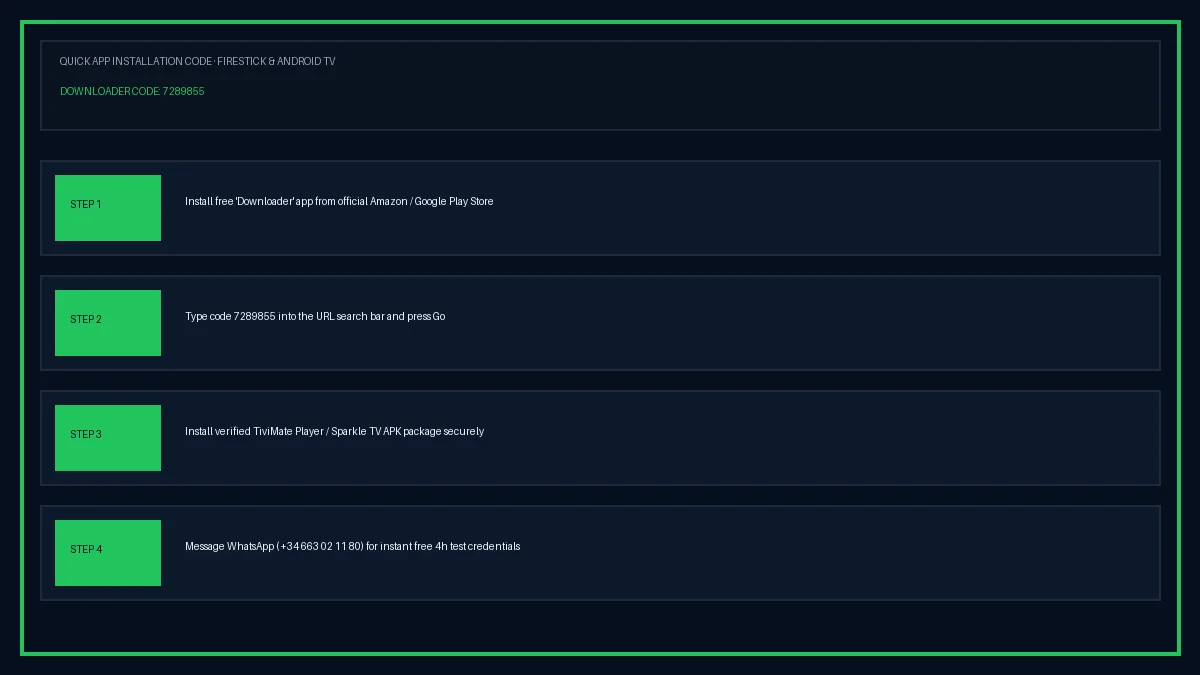
Whether configuring an Amazon Fire TV Stick 4K Max, Nvidia Shield TV Pro, Apple TV 4K, or Chromecast with Google TV, running an unoptimized media player will degrade your viewing experience with micro-stutters and audio de-synchronization. Follow our field-tested 4-step deployment procedure:
- Prepare Developer Privileges: On your Fire TV device, navigate to Settings > My Fire TV > About. Highlight the device name and press the Select button 7 times consecutively until the on-screen prompt declares "No need, you are already a developer." Return to Developer Options > Install Unknown Apps, locate Downloader, and switch permissions to ON.
- Fetch Application via Quick Code: Launch the Downloader app. In the central URL bar, type numerical code 7289855 and select Go. The proprietary Barco Pirata redirector will instantly initialize the clean download of the latest stable build of TiviMate IPTV Player or IPTV Smarters Pro.
- Calibrate Video Hardware Decoders: Open your newly installed player, access Settings > Playback, and switch the Primary Video Decoder to Hardware (MediaCodec). On high-end 4K hardware (Firestick 4K Max, Shield Pro), activate MediaCodec (Surface) to leverage hardware rendering directly on the GPU pipeline.
- Enable Auto Frame Rate (AFR) Synchronization: European football is broadcast natively at 50.000 Hz, while US NFL and NBA games run at 59.940 Hz. Enabling Auto Frame Rate (AFR) inside TiviMate dynamically commands your HDMI controller to switch refresh rates upon stream load, eliminating 3:2 pulldown judder and delivering stadium-smooth camera panning.
04. Sub-3s Broadcast Latency & Blackout Circumvention
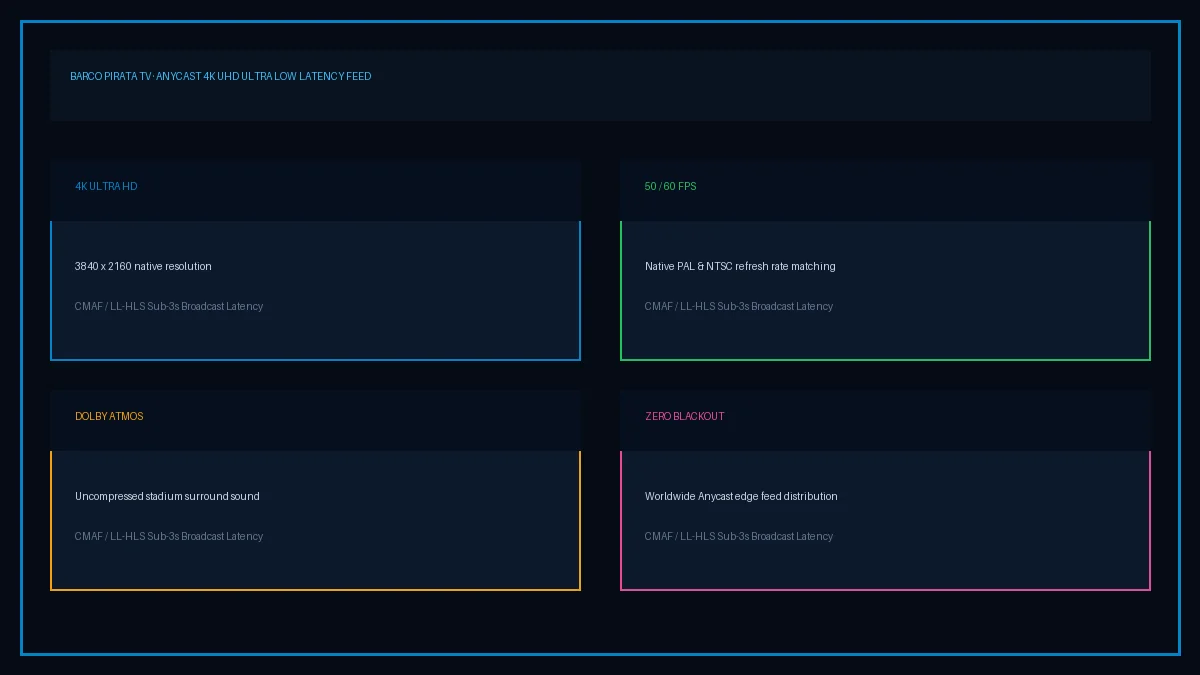
The most common complaint with standard online streaming platforms is the 45-to-90 second transmission delay, causing viewers to receive spoiler notifications on their smartphones before goals or touchdowns happen on screen. Barco Pirata resolves this through proprietary Low-Latency HLS (LL-HLS) and chunked transfer encoding, delivering live stadium action to Hartlepool West, Midlands in under 3 seconds total delay.
Additionally, domestic broadcast restrictions—such as the Saturday 3:00 PM UK UEFA Article 48 blackout and US regional sports network (RSN) out-of-market blackouts—do not apply to Barco Pirata's international feed architecture. Subscribers gain unrestricted access to pristine 4K English-commentary broadcasts of every fixture across the Premier League, UEFA Champions League, NFL Sunday Ticket, NBA League Pass, Formula 1, UFC Pay-Per-Views, and MotoGP.
05. Architecture Comparison: Barco Pirata vs. Legacy Streaming
Evaluate the fundamental technical advantages of our Anycast edge infrastructure against standard budget IPTV resellers and traditional satellite providers:
| Performance Metric | Barco Pirata TV (Edge) | Budget IPTV Services | Cable / Satellite TV |
|---|---|---|---|
| Video Resolution | Native 4K UHD & 1080p60 | Compressed 720p / Upscaled 1080i | 1080i / 720p (Compressed) |
| Frame Rate | 50 FPS Native (AFR Matched) | 25 / 30 FPS (Choppy Motion) | 50 / 60 Interlaced |
| Broadcast Latency | Sub-3 Seconds (Live Edge) | 45 - 90 Seconds Delay | 5 - 15 Seconds Delay |
| Server Bitrate | Up to 45 Mbps Dedicated | 3 - 6 Mbps (Heavy Compression) | 12 - 18 Mbps |
| ISP Anti-Throttling | TLS 1.3 Anycast Encapsulation | Unencrypted Plain HTTP (Throttled) | Proprietary Line Lock |
| Contract & Hardware | No Contract / Code 7289855 | Variable / Unstable Links | 12-24 Month Binding Contract |
06. Frequently Asked Technical Questions (FAQ)
07. Related UK Regional Streaming & Networking Guides
Explore companion technical guides covering local ISP configurations, regional stadium broadcasts, and hardware optimization across Hartlepool West, Midlands and neighboring regions: